
Work hours tracker for iPhone & Android
Track Your Hours. Know Your Earnings. Get Paid.
Track work hours, calculate earnings and overtime, and create professional invoices, all in one simple app.
- Free to start
- No ads
- Works offline
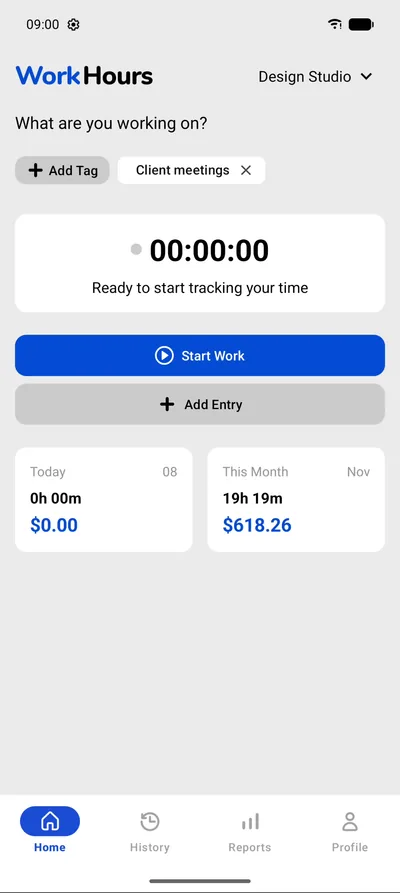
- One-tap timers
- Breaks
- Overtime
- Multiple jobs
- Reports
- PDF invoices
- Excel & CSV
- Clock-out reminders
- Works offline
Every minute matters
Work smart. Track everything.
One tap to start, one tap to stop. WorkHours keeps every session, break and job in order while you get on with the work.
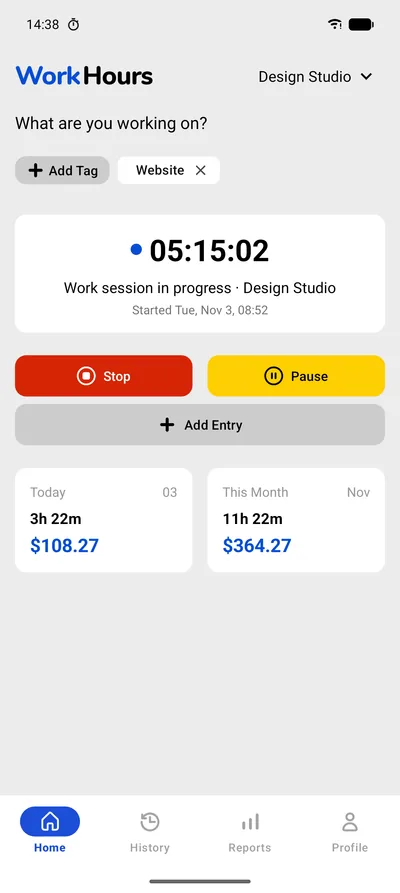
Start and stop in one tap
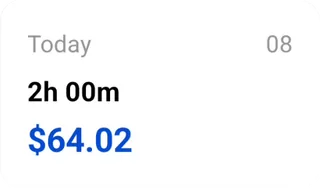
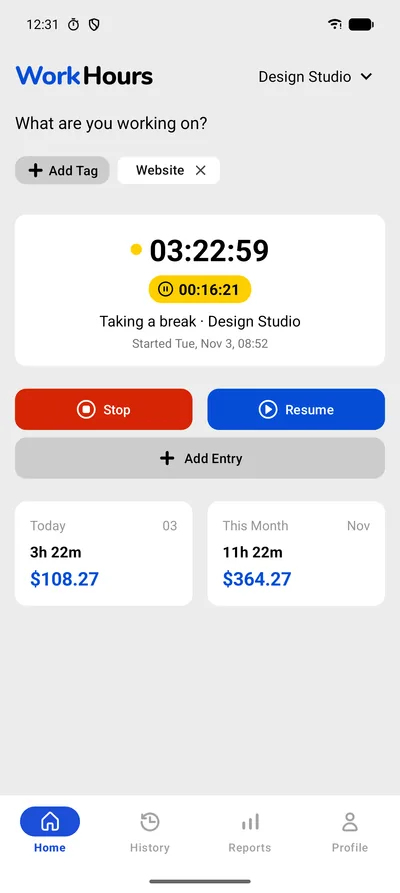
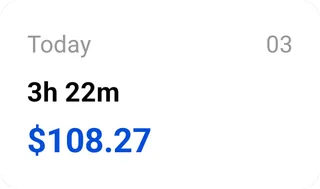
Tap Start when you begin. The timer keeps running in the background, and Home shows today's hours and earnings at a glance.
Breaks on their own clock
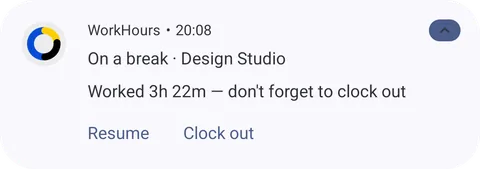
Pause when you step away. Break time runs on a separate timer and never counts as work. Resume or clock out right from the notification.
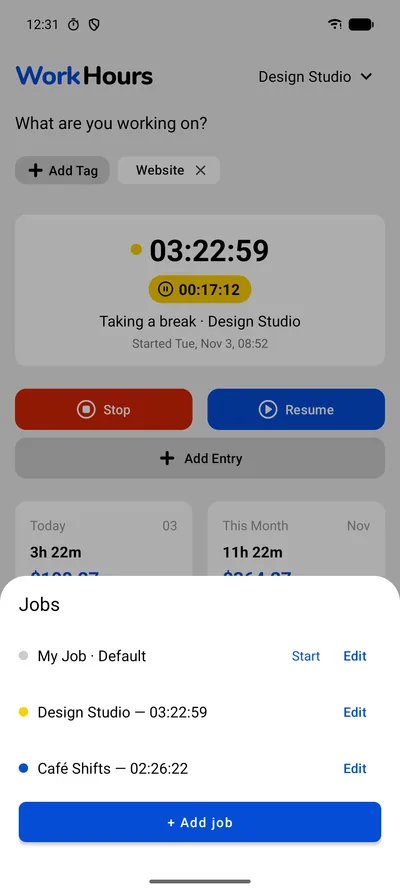
Every job, side by sidePro
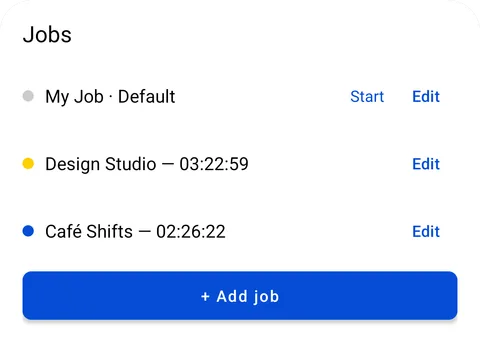
Studio in the morning, café shifts at night? Give each job its own rate and run their timers in parallel.
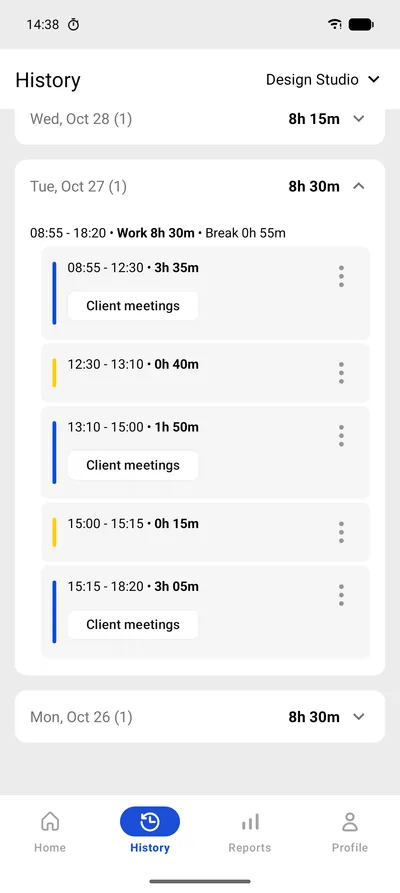
Every session on the record
History lists each work and break segment with start and end times, so you can check or fix a shift in seconds.
Timesheets in PDF or CSVPro
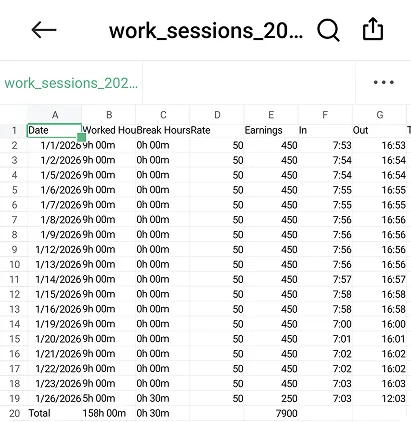
Export any period as a clean PDF timesheet to send, or as a CSV that opens straight in Excel or any spreadsheet app.
- PDF timesheet
- CSV for Excel
Know your numbers
See the bigger picture.
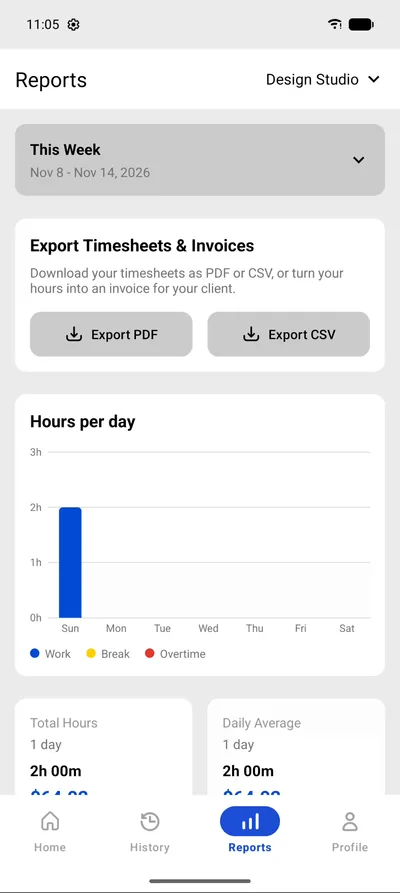
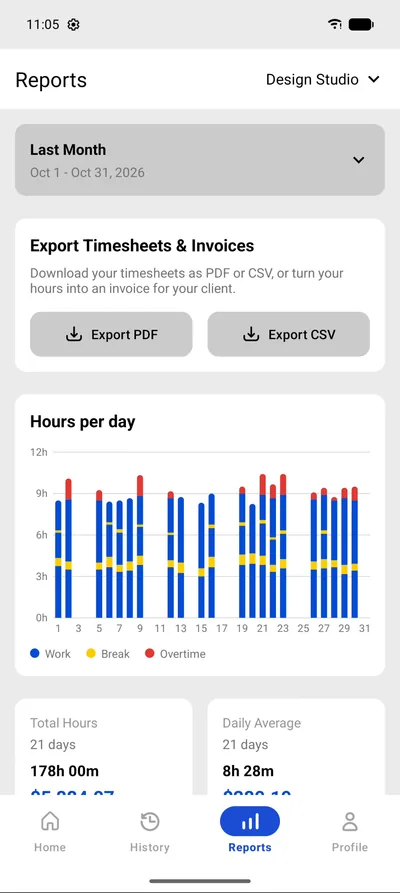
Daily and weekly hours, breaks and overtime in one chart. Set your hourly rate and WorkHours shows what your time is worth.
Hours per day
- Work
- Break
- Overtime
- Total hours
- 43h 00m
- Daily average
- 8h 36m
- Earned this week
- $1,424.01
- Daily & weekly totals
- Overtime highlighted
- Earnings from your hourly rate
- Time per tag
From hours to invoices
Your hours. Ready to bill.
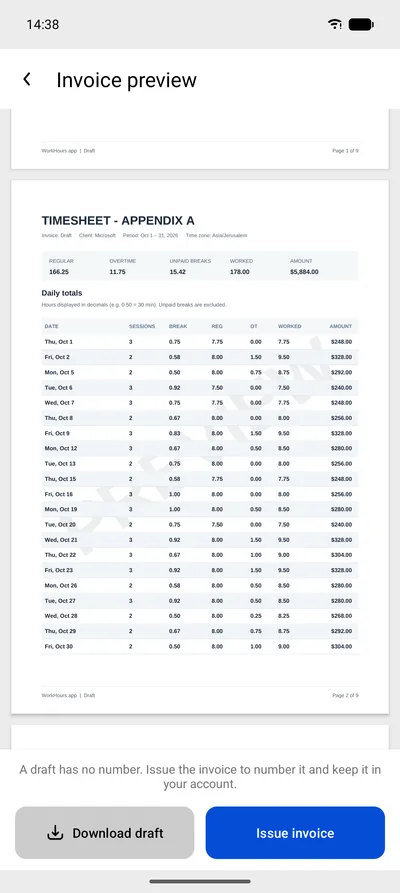
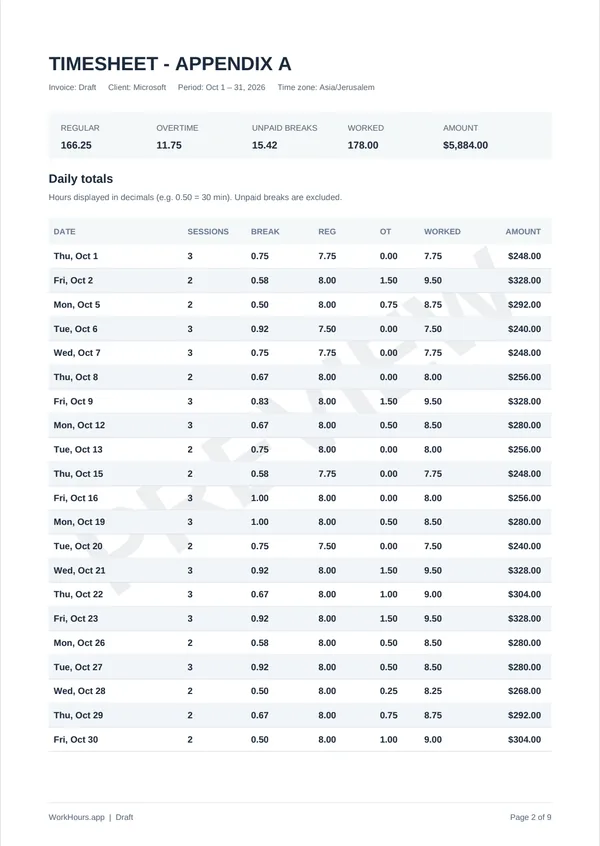
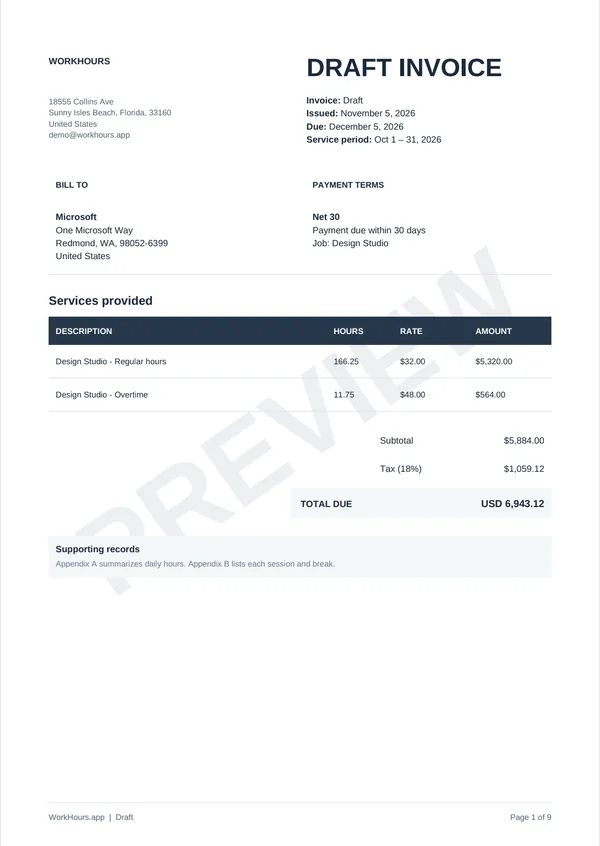
Turn the hours you already tracked into a professional PDF invoice. Regular hours and overtime at their own rates, tax and totals calculated, and a detailed timesheet attached.
- Tracked178 h worked
- RatedRegular + overtime
- InvoicedPDF with timesheet
Design Studio · October
- Regular hours166.25 h × $32.00
- $5,320.00
- Overtime11.75 h × $48.00
- $564.00
- Tax (18%)
- $1,059.12
- Total due
- USD 6,943.12
The preview is free. Downloading and issuing invoices requires WorkHours Pro.
Made for the way you work
One app. Many ways to work.
Freelancers
Tag every project, see what each client is worth, and turn the month into an invoice.
Hourly workers
Clock in, take your breaks, clock out. Know exactly what today paid.
Contractors & consultants
Several clients, one app. Keep every job separate and hand over timesheets people trust.
Simple pricing
Start free. Go further with Pro.
Everything you need to track your hours is free. Pro unlocks exports, invoices and more jobs.
| Feature | Free$0 | Pro$3.99 |
|---|---|---|
| Time tracking | Included | Included |
| Break timer | Included | Included |
| Hashtag organization | Included | Included |
| Weekly & monthly reports | Included | Included |
| Clock-out reminders | Included | Included |
| Shift history | Included | Included |
| Invoice preview | Included | Included |
| Export reports (PDF, CSV, Excel) | Not included | Included |
| Download and issue PDF invoices | Not included | Included |
| Custom date reports | Not included | Included |
| Multi-job support with parallel timers | Not included | Included |
| Priority support | Not included | Included |
| Early access to new features | Not included | Included |
Pro is billed through the App Store or Google Play, in your local currency.
Speaks your language
Your app. Your language.
WorkHours is fully translated into 14 languages, from the timer to your reports and invoices.
 English
 EspañolSpanish
 FrançaisFrench
 DeutschGerman
 ItalianoItalian
 NederlandsDutch
 PolskiPolish
 Português (Brasil)Brazilian Portuguese
 TürkçeTurkish
 עבריתHebrew
 العربيةArabic
 简体中文Simplified Chinese
 日本語Japanese
 한국어Korean
FAQ
Frequently Asked Questions
Everything you need to know about WorkHours time tracking app.
Is WorkHours free to use?
Yes! WorkHours offers a free forever plan with core time tracking features including one-tap tracking, hashtag organization, weekly/monthly reports, and clock-out reminders. The Pro plan ($3.99/month) unlocks PDF/CSV/Excel export, custom date range reports, and multi-job support with parallel timers.
Does WorkHours work offline?
Yes, WorkHours works completely offline. All your time tracking sessions are saved locally on your device and available anytime, anywhere — no internet connection required.
Can I track multiple jobs at the same time?
Yes. WorkHours Pro includes multi-job support with parallel timers, so you can track several jobs at once and switch between them instantly.
Does WorkHours send clock-out reminders?
Yes. WorkHours can send notification reminders to help you remember to clock out, including on your lock screen. You can cancel or disable these notifications anytime in settings.
Can I export my time tracking data?
Yes, with WorkHours Pro ($3.99/month) you can export your time tracking data to PDF, CSV, and Excel formats, perfect for invoicing clients, sharing reports with managers, and keeping records.
Is my data private and secure?
Absolutely. WorkHours is designed with privacy-first principles. We don't show ads, we don't track you, and your data stays on your device. You have complete control over your information.
Who is WorkHours designed for?
WorkHours is perfect for freelancers, consultants, contractors, remote workers, employees, entrepreneurs, and anyone who needs to track their work hours accurately. It's simple enough for individuals yet powerful enough for professionals managing multiple projects.
What platforms does WorkHours support?
WorkHours is available on iPhone and iPad via the Apple App Store and on Android via the Google Play Store. The app is available in 14 languages: English, Spanish, French, German, Italian, Dutch, Polish, Portuguese (Brazil), Turkish, Hebrew, Arabic, Chinese (Simplified), Japanese and Korean.
How much does WorkHours Pro cost?
WorkHours Pro costs $3.99 per month. It unlocks premium features including PDF, CSV, and Excel export, custom date range reports, multi-job support with parallel timers, and priority support. The free plan includes core time tracking, hashtag organization, weekly/monthly reports, and clock-out reminders.


Make every hour count.
Download WorkHours free on iPhone, iPad and Android.